“Moron Arrested After Driving Truck Into House”. No, the news folks weren’t being mean — the guy’s last name is actually Moron.
Month: January 2008
High-Def Is Good
Check out these screenshots of the standard def version of The Lord Of The Rings: Fellowship of the Ring compared to the high-def version of it and you’ll see how this stupid format war needs to end now so it’s not a complicated pain in the butt to enjoy this stuff.
Have A Jar Full Of Coins?
This little site will help you guess how much you have in there.
Got A Car
I mentioned that I was looking for a new car, and went and picked up my nearly dead car today and went shopping for a new one — and I got one.
Don’t have pics yet, but basically held a local dealer to a price they were advertising on their web site for a 2001 Hyundai Accent (which was a mistake, as it was like a third of the Blue Book for it). It’s a small little car, which is is perfect for what I need, gets great mileage, and has only 76,000 miles, and for a twinky little four cylinder engine, it has a bunch of get up and go.
Now I just need to get some studded tires for it so I can actually make it to work and move my CD player from my old car, and we’ll be good to go.
Does anybody want a 1990 Subaru Legacy sedan for parts?
The Snow’s Making Things A Mess
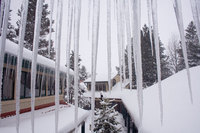
In case you haven’t heard, it’s a snowy nasty mess all over Central Oregon. Out here in Sunriver, it’s snowed at least 12 inches since yesterday. Thankfully my dad and his big contractor truck are driving me out here until I get a new car, as it’s big, high, and heavy, but even he is having trouble getting around. I went with a co-worker to take some pictures of one of our houses, and we were making the tracks in the road in her Jeep. The usual five minute drive took over 30 minutes. These are a couple pictures I took outside my office a bit ago during a lull in the snow storm. The picture on the right was taken through a tinted window which is why it has a blue hue to it.

Be safe out there everybody — and hopefully I’ll find a new car that I can afford soon.
Geek Humor
Somebody sent this my direction today (I don’t know the original source, so if somebody knows it, let me now):
A customer comes into a computer store. “I’m looking for a mystery adventure game with lots of graphics … something really challenging.” The clerk replies, “Have you tried Vista?”
Anybody Have a Car or Truck To Get Rid Of?
My car was having overheating issues when I was driving out to Sunriver yesterday, which was odd considering it was 15°F outside. It would overheat, the heater would kick on cold air, and then it was like a switch flipped and it would go cool again and then heat up again and then cool again. The engine was cool to the touch, so I don’t know what was going on. I took it into the Subaru Guru, who I’ve had look at my car several times and I know they know what they’re doing. The diagnoses? A blown head gasket, which is, needless to say, a really expensive repair at $950 (because they basically have to dismantle the entire engine to get at it).
The car has 204,000 miles on it, and I’m not about to spend $1000 on a repair for it when it could (and should) put that towards a new car. And since we already have one car payment, I’m hoping to get a second that’s dirt cheap.
Anybody have one for sale? I don’t need anything powerful (would even prefer a wussy little car) as I drive daily to Sunriver and back from Bend and gas milage is key. If you have a small little truck, that’d be great as I’m constantly needing to haul stuff around and have to borrow trucks from people.
I’m open to options outside of Central Oregon, if the deal’s right.
Comment here or e-mail me at utterlyboring [at] gmail [dot] com.
Geek Links
Just a few geek links that need to be bookmarked for my future reference.
- The Trouble With PDFs. Interesting article, though I’d have to say that a few of the biggest reasons that folks (me included) still use PDF is that it’s very easy to maintain page and print layout with a PDF, very easy to embed fonts with a PDF, easy to secure copying with a PDF, easy to embed high-res imagry in a PDF, among other things that are just not as easy to do in an HTML editor or on a Web page. Just because it can be done in HTML doesn’t always mean it should, especially if I’m emailing something to someone who I know doesn’t have a newer browser but I wan the layout and print out to be maintained. I can create a fully functional PDF in just about any program with CutePDF, but if I use the program’s built-in functions to export to HTML, the output leaves quite a bit to be desired.
- Are you an expert user trying to get around in Vista? Vista4Experts turns off the annoying crap that is built in for computer novices.
- Selecting text vertically in MS Word. Boy am I stupidly glad to have seen this, as I was just needing this the other day and was sick of pasting back and forth between a text editor that can do this and MS Word.
- Integrating Gmail and Google Calendar with the Enhance Gmail Greasemonkey script. Now if this would just get added into the Better Gmail Firefox extension, I wouldn’t have to install Greasemonkey to do it.
- If you need a great way to better your typing skills, try this great little Flash game — I was up to about averaging 65 words per minute (got 85 on one) before I had to get back to work. Though I just tried it again and only averaged 50 words per minute.
Fun Flash Timekiller
This will kill off quite a bit of your day. The goal is level 16, but I could only make it to 15. How about you?
There Has To Be Freeware To Accomplish This
So I mentioned that we got a new digital camera for Christmas. We had a Canon for years, and got a much newer Nikon as a gift. We finally got around to installing the software for the camera, and while it’s fine and dandy and all, there’s one thing that it can’t do (as far as I know) that the Canon CameraWindow software can: create folders upon transfer based on the EXIF date of the image. All our digital photos are nicely sorted in our “My Pictures” folder, sorted by appropriately named folders by date, using the format “YYYY_MM_DD”. It’s not rocket science, but for some reason, every bit of transfer software — the stuff built into Windows and the stuff that comes with this and our daughters Polaroid camera to Picasa and other apps — and not one of them can create folders based on shooting date.
I found one commercial app that will take a folder of images and create folders based on EXIF dates, but I can’t find myself spending $20 on something that I could do for free with my Canon transfer software. The trial version works on up to 75 images at a time, which is fine if we transfer the images frequently, but I still get annoyed about the two-step process.
Does anybody know of a freeware app that will create folders like this or will transfer from my camera the images and create folders? Or am I just missing something really obvious in Nikon’s twinky PictureProject software?